The hardware on the machine: connectivity, reliability and control
HW Panel is the hardware base of LinkMachine: a designed industrial panel/box to work in production, connect to PLC/CNC and collect real data stably.
It is designed for installation on the machine: neat connections, industrial components, robust power supply and scalable options (from “simple data collection” to more advanced configurations).
What the HW Panel includes
Configuration may vary, but typical setup includes:
Control unit
- Industrial PC / panel PC (depending on configuration)
- Storage and RAM sized for continuous use
Machine connectivity
- Ethernet / serial (RS232/RS485) where necessary
- Gateway/driver for PLC and CNC (depending on machine)
Network and integration
- Industrial LAN
- Wi-Fi/4G/5G options (if required)
I/O and signals
- Digital inputs/outputs for events and consents
- Sensor connection (where provided)
Firmware tailored to each need, one agent
The HW Panel adapts to each machine while retaining a common software component.
Firmware for each requirement
Multiple firmware options are available, selected according to the machine, its connections and the required functions.
One agent
All configurations use one agent: LINKMACHINE CORE BASE (AGENT). Firmware varies by project; the agent remains the same.
Installation examples
Some real images help to understand order, wiring and positioning on the machine.

Front view
Panel/box with components in an accessible position for maintenance.
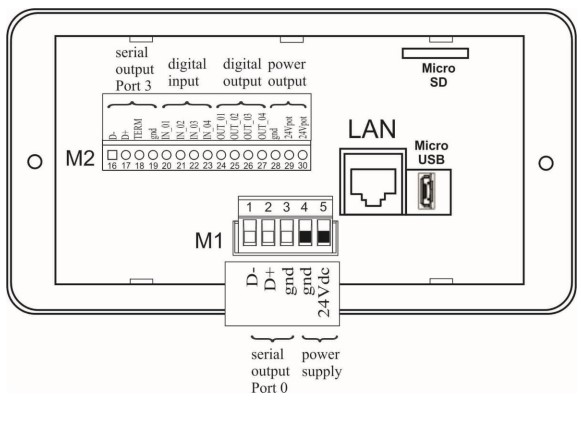
Interior and wiring
Tidy and identifiable wiring, ready for industrial environments.
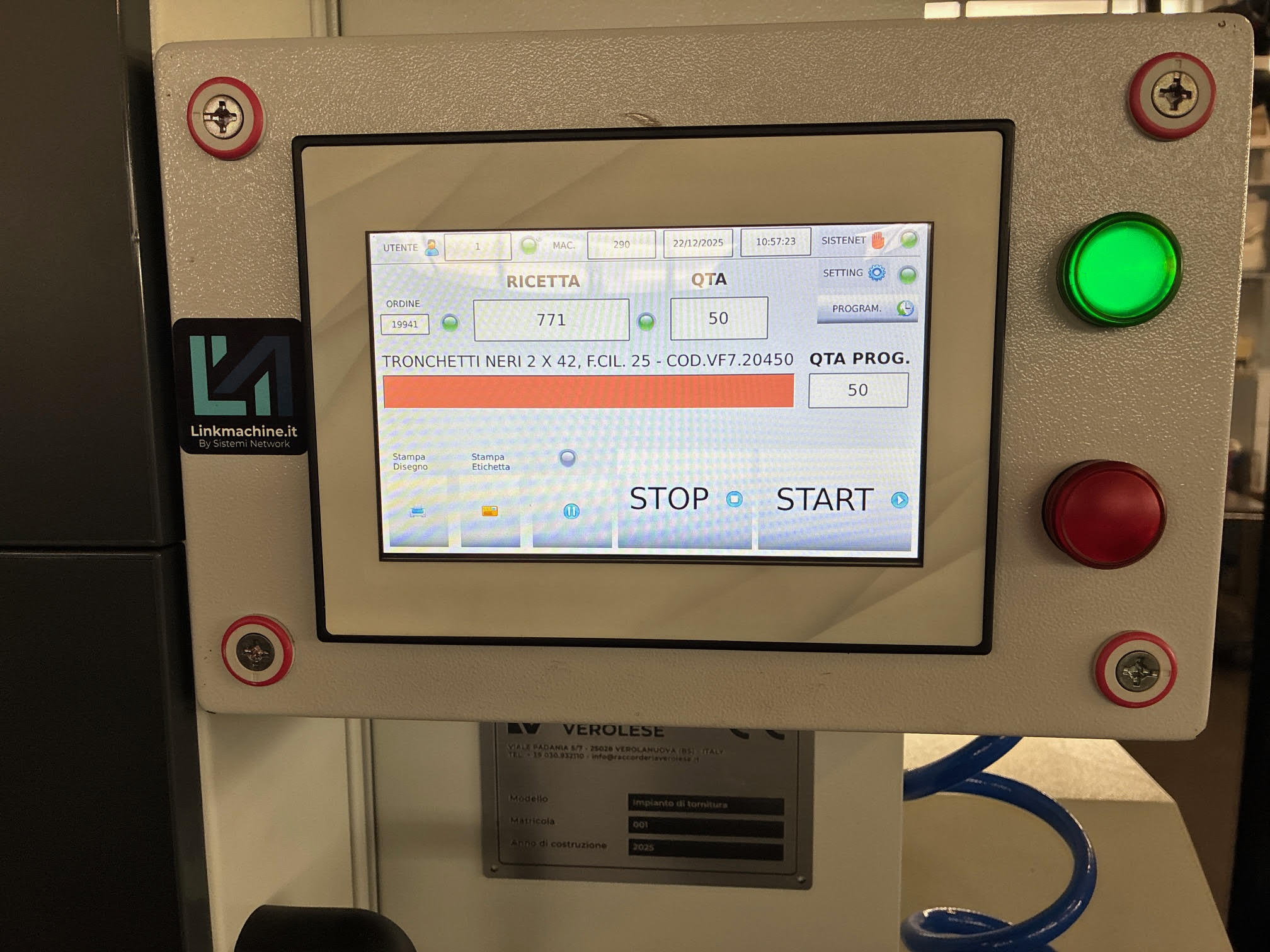
Installation on the machine
Positioning close to the machine to reduce length and complexity.
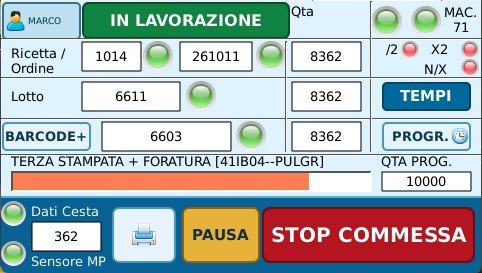
Operator interface
Actual compact-panel screen showing orders, batches and production progress at the machine.
Technical details (expandable)
Specifications and options vary by machine and project. Here you find a clear trace.
1) Power supply and protections
- Industrial power supply sized for continuous use
- Protections and sectioning (based on configuration)
- Orderly management of distribution (24V/230V if present)
2) Connections with PLC/CNC
- Industrial Ethernet (preferred)
- Serial where required (RS232/RS485)
- Protocol/driver selected based on machine make/model
Objective: stable and "clean" connection, avoiding improvised adapters.
3) Network, security and isolation
- Logical network segmentation (when necessary)
- Controlled access for assistance and maintenance
- Possibility of offline mode: production does not stop
4) Options: readers, badges, barcodes, sensors
- Barcode / QR reader
- RFID / operator badge
- Digital inputs for events (consensus, end of cycle, alarms)
5) When to choose a “light” vs “advanced” HW Panel
Light
- Basic data collection
- Standard connection to the machine
- Quick installation
Advanced
- More interfaces and I/O
- Greater integration with flow logics
- Dedicated expansions and modules
Why a dedicated panel
Stability and repeatability count in production: a dedicated HW Panel reduces improvisations, makes installation replicable and facilitates assistance and maintenance.
- Tidy and documentable wiring
- Standardization between different machines
- Fewer downtime for "trivial" problems (power supplies, connections, adapters)
- Scalability: from one pilot machine to multiple lines
Do you want to evaluate the HW Panel for your machine?
We start from a pilot machine: we define connections, signals and objectives, then we configure the hardware and software.