A practical alternative to complex MES systems
LinkMachine is not an MES. It is a concrete Hardware + Software solution to connect the machines to the ERP system, collect production data in real time and easily integrate with existing databases and procedures.
LinkMachine is not an MES
Traditional MES systems are often designed to manage in an extensive and structured way the entire company production, with longer projects and more rigid architectures.
LinkMachine was born instead as a practical solution for the connection between machines, operator panels, corporate database and ERP management, with a more streamlined approach, quicker to introduce and easier to adapt to the real flows of the company.
When to choose a simpler approach
Traditional MES
- Structure generally wider and more articulated
- Greater design complexity
- More rigid and formalized processes
- Often longer implementation
- Suitable for very extensive management needs
LinkMachine
- Focus on the machine–ERP connection
- Real-time production data collection
- Greater adaptability to existing databases
- Faster and more progressive introduction
- Ideal for practical and concrete projects
Key concept
LinkMachine adapts to your database, not the other way around.
The panel and software in action
Some images of the LinkMachine panel, machine connections and software screens.

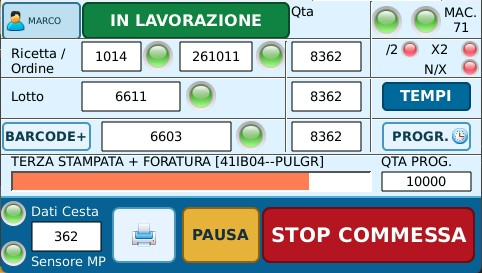

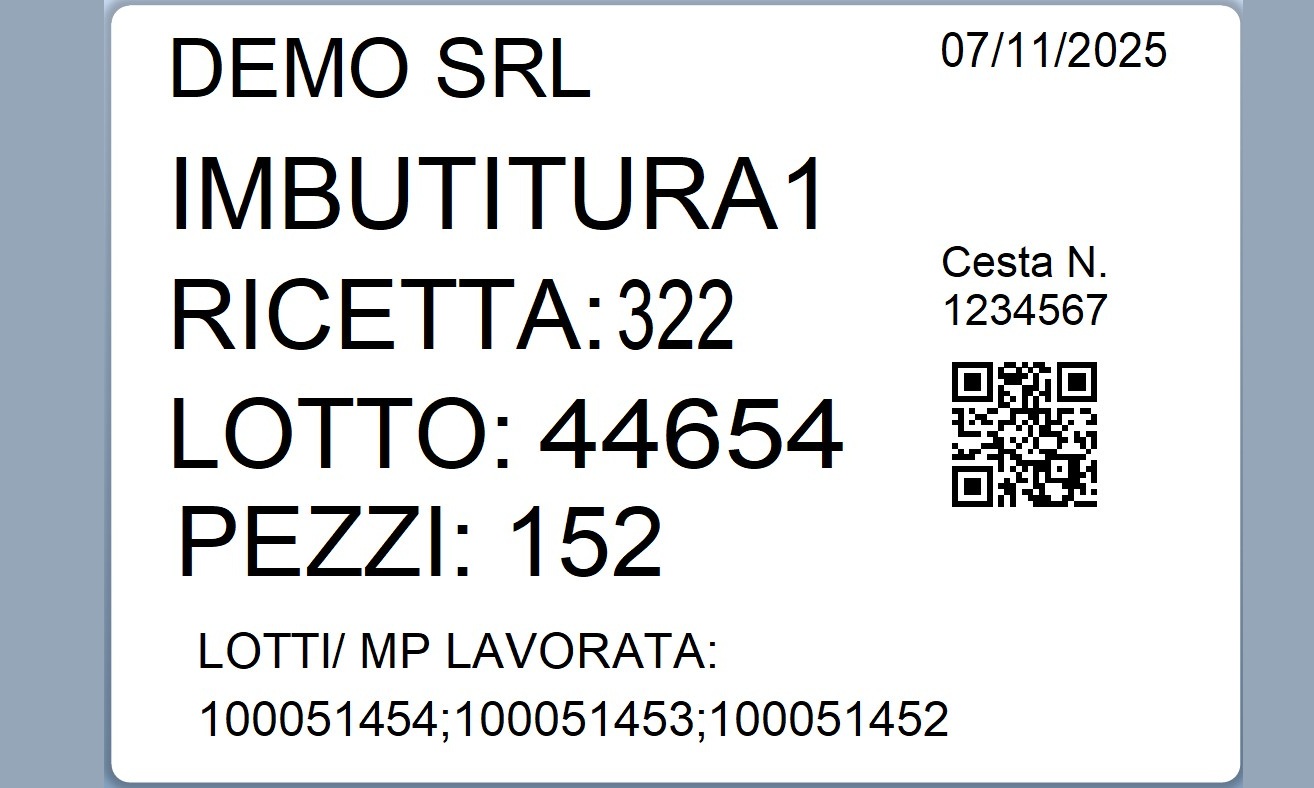
Reading and writing to existing tables and views
Planning reading
LinkMachine can very easily read a SQL view coming from the ERP system or a planning table already available, without imposing a rigid ownership structure.
Writing production data
Data sensed by machines can be written to custom tables, also defined directly by the customer or by the integrator, according to the logic already in use.
Why it matters
This approach is particularly useful in situations where:
- internal management logics already exist
- “artisanal” or progressive solutions are being built
- the definitive structures of the project are not yet completely clear
- we want to start immediately without introducing a complete MES
Relational database as an exchange point
LinkMachine uses a relational database to coordinate communication between:
- planning coming from the ERP system
- real production carried out by machines
- operational events detected by the panels
- real-time state of the production system
Data separation
The architecture is built to clearly separate:
- planned data
- actual production data
- log data
- real-time data
Goals
- do not duplicate management data unnecessarily
- make the system integrateable with different ERPs or existing software
- maintain history and traceability of events
- provide machine status updated in real time
- facilitate exports and synchronizations to external systems
Data structure example
Planning
programmazione
Planned orders coming from the ERP system.
Production results
programmazione_link
Current state of progress of production.
Events
registro_pannello
Panel/machine operations log.
Realtime
dati_macchine
Last known machine/panel status.
How LinkMachine works
The ERP system feeds planning
The orders or processes are made available in the database.
LinkMachine reads the work queue
The system acquires the information necessary for production.
Writes the real state
When production starts, it updates the final data and the progress.
Records events
Store operations, steps and logs from panels and machines.
Real-time updates
It always keeps the current state of the production system available.
Exposes useful data to the ERP
The information remains easily synchronized with external systems.
The ideal context for LinkMachine
- You want to connect the machines to the ERP system without introducing a traditional MES
- You already have a SQL database or ERP to integrate
- You want to start gradually and concretely
- You need a flexible structure, not a rigid one
- You also have to work on existing machines or systems already in production
Linked pages
Data collection on the machine
Data acquisition directly from the machine or operator panel.
ERP machine connection
How to transfer production data to the ERP system.
Integration of legacy machines
Bring Industry 4.0 logic to existing plants too.
Case studies
Real application examples on production, traceability and integration.